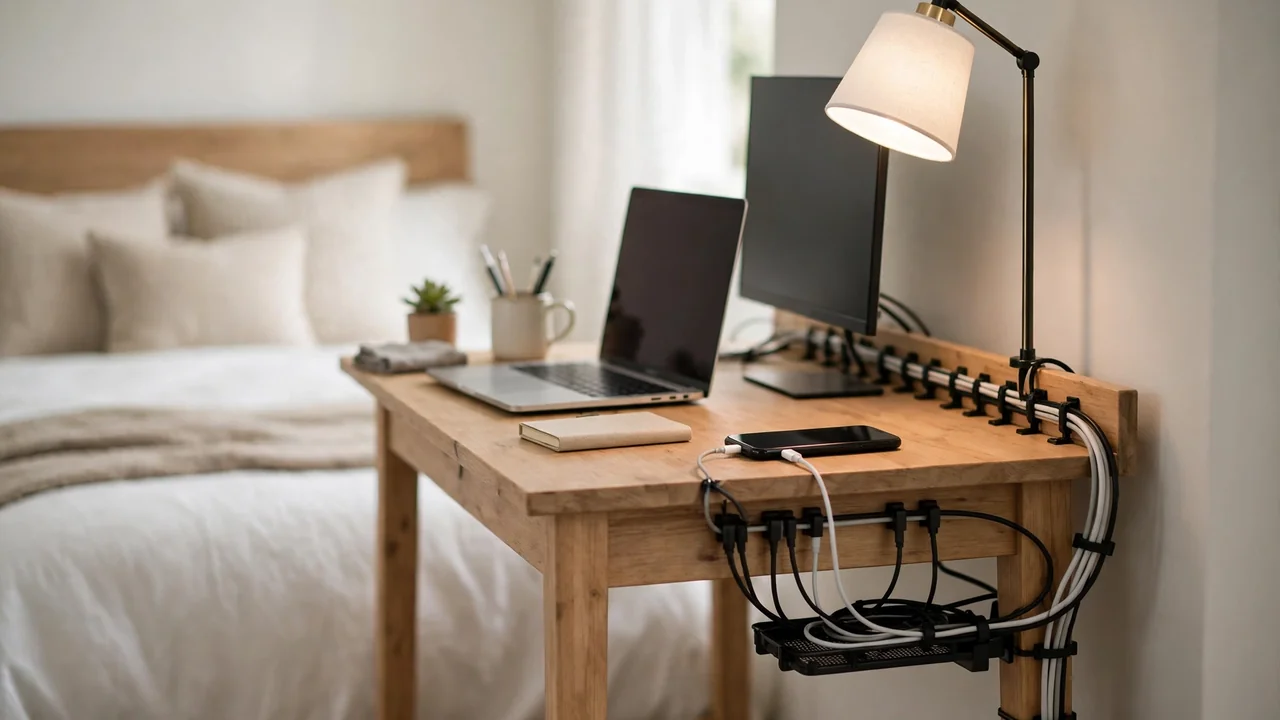
Good small bedroom desk cable management starts with one short route: put a compact power strip under the back edge of the desk, guide laptop, monitor, lamp and phone cables along the back edge, and hide bulky adapters in a small tray or drawer. Nothing should trail across the floor towards the bed.
A small bedroom is not a small office. Cables must stay clear of feet getting in and out of bed, away from bedding, and out of sight when the room should feel calm. These ideas are low-cost, mostly renter-friendly, and easy to undo.
Start by Mapping the Room, Not Buying Products
Before buying anything, note where the sockets are, how far the bed is, and where your feet go when you get up at night. That tells you where cables must never run.
Count what plugs in: usually a laptop, a monitor, a lamp and a phone charger. Many bedrooms have only one double socket, sometimes behind the bed. Do not run a cable under the bed or mattress to reach it, as it can be crushed or trapped. Use one properly rated extension lead along a wall instead. Never daisy-chain power strips or overload a socket. For fixed wiring, speak to a qualified electrician. Measure the desk first, so a tray you buy actually fits.
What You Will Need
- A compact power strip with a short lead: four sockets usually cover a laptop, monitor, lamp and phone charger.
- A small under-desk tray or basket: sized to the desk, to hold the strip and adapters off the floor.
- Adhesive cable clips: to guide cables along the back edge or down a desk leg.
- Reusable hook-and-loop ties: to bundle cables loosely without pinching them.
- A cable sleeve or spiral wrap: to turn cables sharing a route into one neat bundle.
- Short cables: a short charging cable and monitor cable, where your devices allow them.
- A small box or basket: to store spare cables in furniture you already own.
Step 1: Put the Power Strip in the Right Place
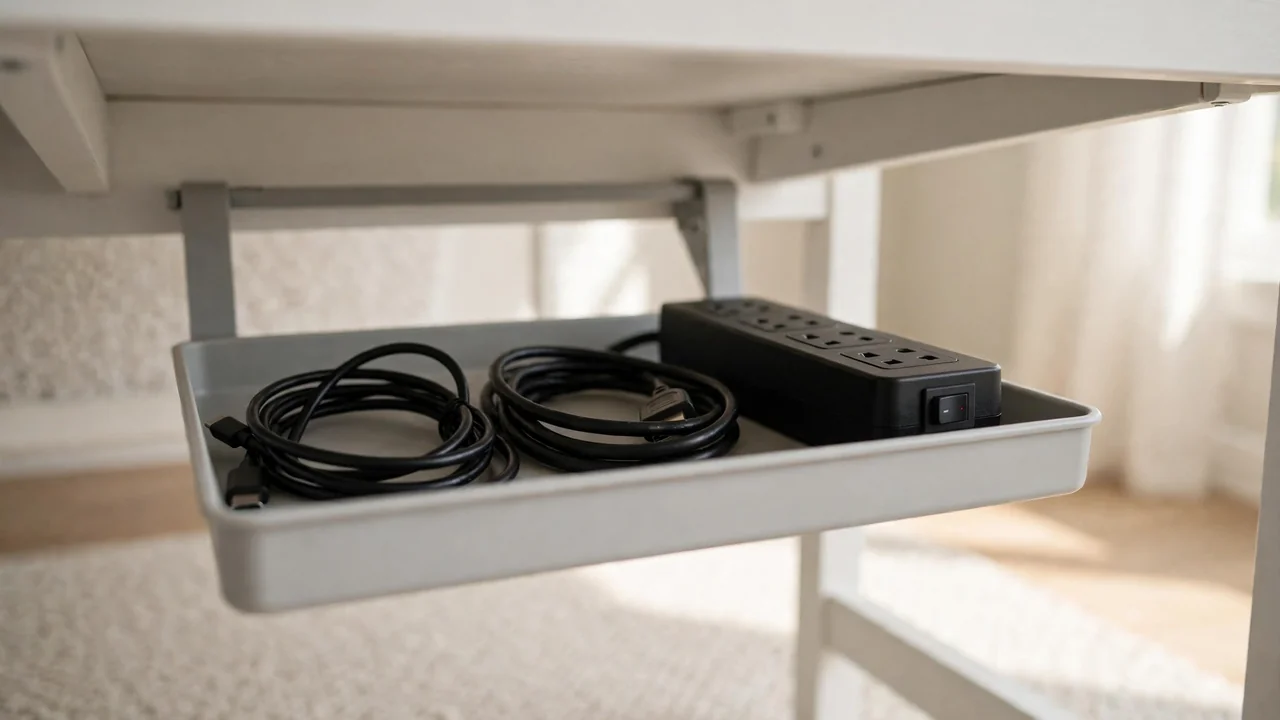
The power strip is the centre of the setup. On the floor between desk and bed it becomes a trip hazard; on the desk it eats the little surface you have. Put it just under the back edge, inside a small tray, close to the socket side.
Mount the tray first, before plugging anything in. Clean the underside, let it dry, and follow the manufacturer’s instructions. On a rented desk use an adhesive or clamp-on tray, not screws; a smooth, sealed surface usually takes adhesive well, while a rough or flaking surface may not. Check the weight rating, and leave adhesive to cure for the time on the packet. Place the strip with its switch facing outwards, keep air moving around it, never cover a warm adapter, and leave a little slack in each cable. Run its lead down the wall side of the desk leg, clipped to the skirting board. Never run it under a rug, under the bed, or across a doorway.
Step 2: Route Each Cable Along the Back Edge
Route one cable at a time from device to tray, always along the back edge. Cables that drop down the front end up in your lap or on the floor; cables along the back stay hidden.
Start with the monitor, clipping its cable up the back of the desk with just enough slack to tilt. Then the laptop charger: rest its adapter in the tray, coiling spare length loosely inside it. Next the lamp, clipping its thin cable along the back edge, away from a hot bulb. Finally the phone charger: use a small clip at the back corner to hold its end when not in use. Keep the phone on the desk or bedside table while charging, not on the bed. Bundle cables that share a route in a short sleeve, without pulling them tight.
Step 3: Manage a Laptop, Monitor, Lamp and Phone Charger in Tight Space
Give each device a fixed spot and a fixed cable route. Put the monitor at the back, the laptop in front or to the side, and the lamp at the back corner furthest from your writing hand.
A laptop stand lifts the laptop, frees space underneath for a cable route, and lets air flow around the machine. Keep the phone charger on the side nearest the bed, so its cable does not cross the whole desk. If you charge on the desk by day and at the bedside by night, use two short cables, one at each spot. Some monitors can charge a laptop through a single cable, but many cannot, so do not assume it will work.
Step 4: Let Storage Double as Cable Hiding
Storage is the easiest way to hide cables without specialist products. A bedside table, drawer, shelf or basket can hold adapters and spare cables, as long as air can move around anything warm.
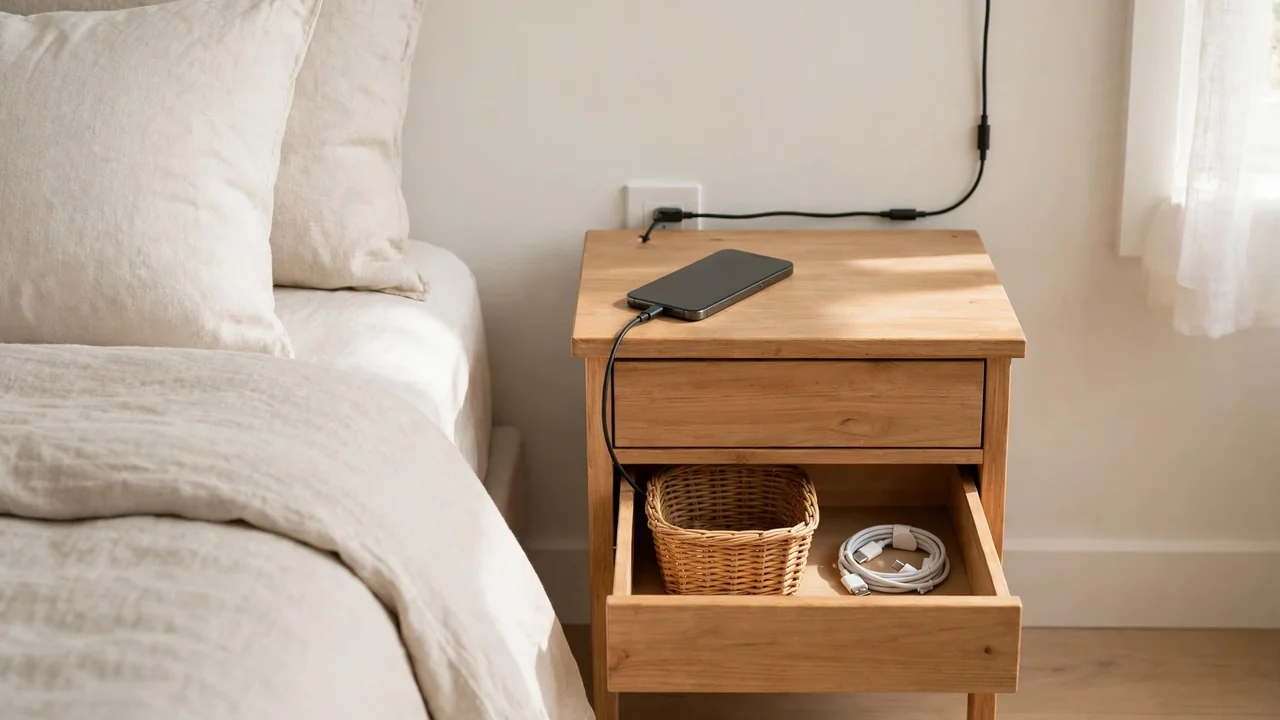
A shallow desk drawer is the simplest hiding place: keep a charger and spare cable inside, with one short cable running out of the back corner to the strip. Do not trap cables in the drawer runners or force the drawer shut on a thick cable. A bedside table works well as a charging station, with a compact strip inside and the phone charging on top, its cable tight to the wall behind the table. A shelf above the desk can hold the lamp or phone off the surface, with cables running down the wall behind it.
Step 5: Choose Short Cables and a Compact Charging Station
Long cables are the main reason small-bedroom desks look messy: a two-metre cable on a desk a metre from the socket leaves a metre to hide. Measure each run — device to tray, and tray to socket — then choose the shortest cable that reaches with a little slack.
A charging station need not be a bought product: a small tray or desk corner with clips holding cable ends will do. If you charge several small devices — phone, earbuds and watch, for example — a multi-port charger can replace three plug-in chargers. Check its rating and the manufacturer’s instructions, and place it on the desk or bedside table, not on the bed.
Step 6: Keep the Desk Against a Corner or in an Alcove
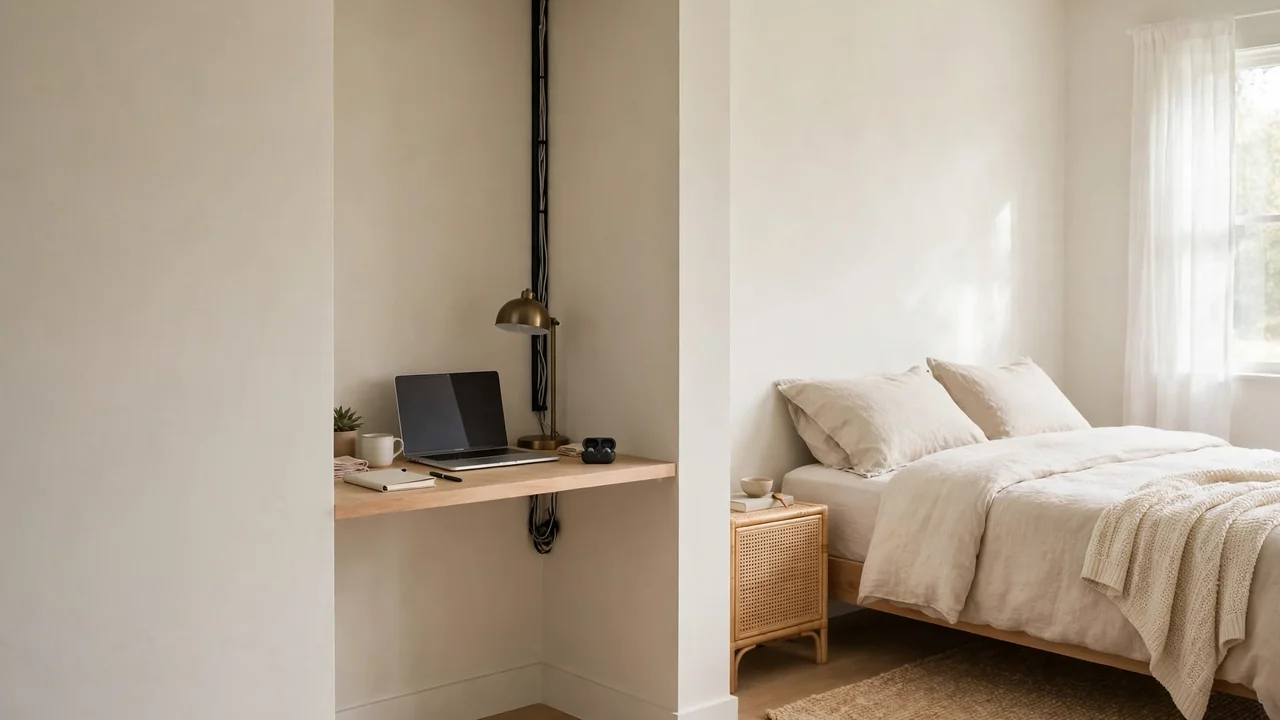
Where the desk sits matters as much as how cables are routed. A desk in a corner or alcove has two walls to hide cables against; a desk in the middle of the room shows its cables from every side.
If you can, put the desk with its back to one wall and one side to another, so cables run along a corner nobody walks through, and keep the bed on the opposite side of the room. In an alcove, clip the main run to the side wall inside a short sleeve, leaving a gap for air around adapters. If the desk must sit against one wall with the bed close beside it, keep the cable side away from the bed, with the strip on the far side. In a shared bedroom, agree with the other person where cables run and where the phone charges at night.
Cost-Conscious Alternatives
Start with what costs nothing, then add one or two low-cost items only where they solve a real problem. Buy in this order: ties and clips first, then a tray, then short cables.
| Problem | Low-cost fix | When to spend a little more |
|---|---|---|
| Cables trailing on the floor | Route them along the back edge and tie them loosely | A small adhesive tray to hold the strip off the floor |
| Too many long cables | Swap in the shortest cable you already own | One short charging cable and one short monitor cable |
| Phone cable sliding off the desk | A small adhesive clip at the back corner | A small desk tray that holds the phone in place |
Common Mistakes in a Small Bedroom
- Running cables across the gap between desk and bed: the most common trip hazard, and the cable most likely to be pulled or stepped on.
- Pushing the power strip under the bed: out of sight, but out of reach, hard to check, and at risk of being crushed or covered by bedding.
- Daisy-chaining power strips: never plug one strip into another, and never overload a socket.
- Hiding cables under a rug or mattress: they can be crushed by feet and furniture, or trapped and damaged without you noticing.
- Covering a warm adapter: adapters need air around them. Do not wrap them in cloth or bury them in a closed box.
- Forgetting the shared space: a setup blocking a wardrobe door or the other person’s side of the room will be moved, cables and all.
Troubleshooting
| Problem | Likely cause | What to try |
|---|---|---|
| Cables slide off the desk | No clip holding the end, or the cable is too long | Add a back-corner clip and switch to a shorter cable |
| Tray keeps falling down | Dirty or unsuitable surface, or overload | Clean the surface, let adhesive cure, check the weight rating |
| Phone will not stay charged at night | Cable pulled by bedding, or a loose plug | Move charging to the bedside table with a short cable |
| Floor is still messy | Spare length coiled on the floor, not in the tray | Coil spare length loosely in the tray, or use shorter cables |
Frequently Asked Questions
Where should the power strip go in a small bedroom?
Usually just under the back edge of the desk, inside a small tray, close to the socket side, with the switch facing outwards. That keeps it off the floor, away from feet and bedding, and within reach. Do not put it under the bed, under a rug, or in a closed box with no ventilation.
How do I hide cables if I rent and cannot drill?
Use adhesive or clamp-on fixings, a small tray, clips, and storage you already own, such as a drawer or bedside table. Clean the surface before sticking anything to it, check the weight rating, and follow the manufacturer’s removal instructions when you move out. Do not cut holes in rented furniture or alter fixed wiring.
Can I run a cable behind the bed to reach a socket?
It is better not to. Cables behind a bed can be crushed by the frame, trapped when the bed moves, or hidden under bedding where damage is hard to spot. Use a single properly rated extension lead along the wall, or move the desk closer to a socket you can reach safely.
A Small Bedroom, Tidy in an Afternoon
Small bedroom desk cable management works best when kept small: one strip, one tray, short cables, and a single route along the back edge. Map the sockets and the walking route between bed and desk, put the strip under the back edge where air can move around it, and route each device to it one at a time. Use storage you already own to hide adapters, keep cables away from bedding and feet, and leave a little slack at every plug.