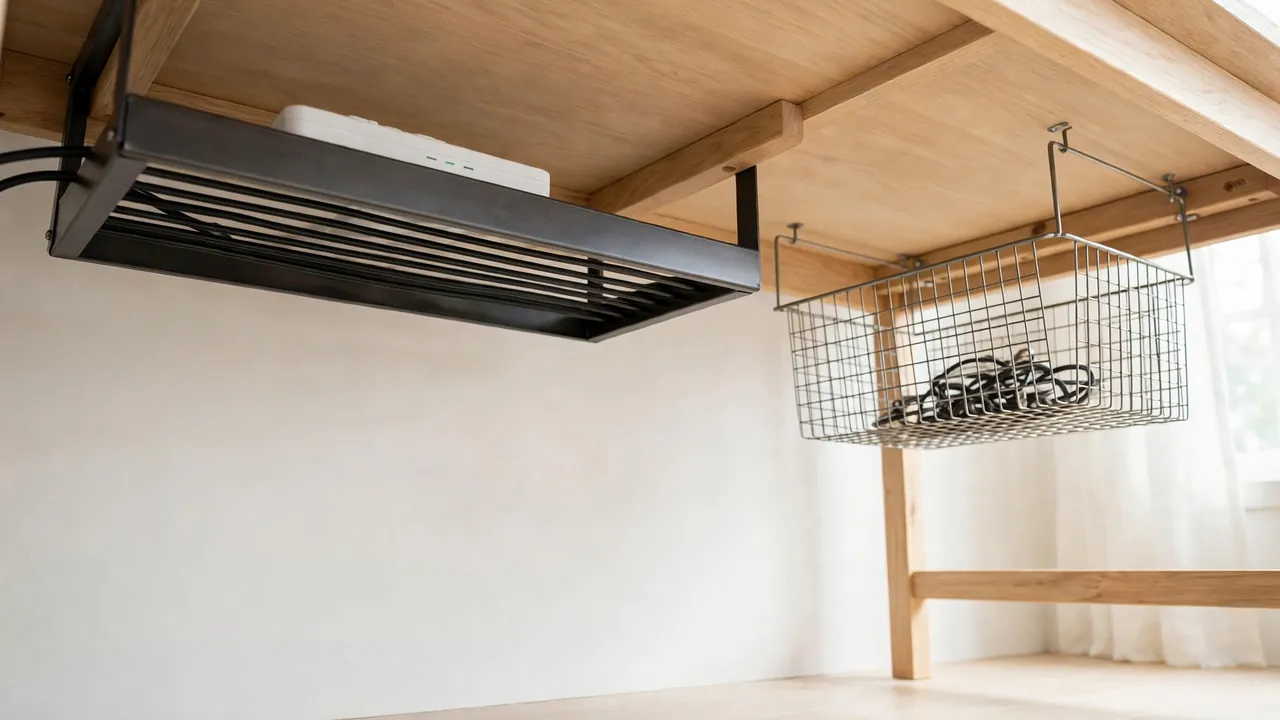
For most desks, a cable tray is better than a cable basket. A tray is a rigid, open-topped channel that screws, clamps or sticks under the desk, holds a power strip and several adapters in a straight line, and lets you lift cables in and out easily. A basket is a wire or mesh container that hangs below the desk and is better for a small, light bundle of cables where you want a softer, cheaper fix. If you have a power strip and more than three or four cables, choose a tray.
That is the short answer, but the right choice depends on your desk, the weight you need to carry, and how often you change devices. A tray that is too small will overflow, and a basket loaded with heavy adapters will sag. This guide compares trays and baskets side by side — size, strength, access, safety, cost and fitting — so you can pick the one that will actually stay tidy.
What Is an Under-Desk Cable Tray?
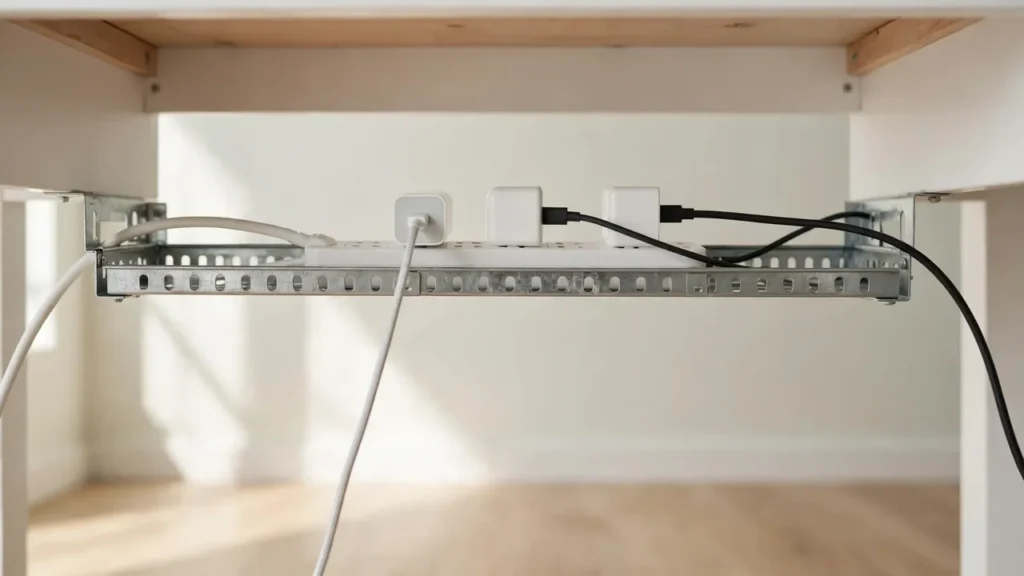
A cable tray is a long, shallow channel, usually made of metal or strong plastic, that runs along the back of the desk just under the top. Most trays are open at the top, with low sides and open ends, so cables can enter and leave at any point. Many have slots or holes in the base for ventilation and for cable ties.
Trays come in fixed lengths, often from about 40 cm to over a metre, and in a few depths. A shallow tray suits thin data cables and a slim power strip. A deeper tray is needed if your power strip is tall or your adapters are bulky. Some trays are fixed with screws, some with clamps that grip the desk edge, and some with adhesive pads. Screw-fixed trays are the strongest, but they need holes in the desk, so they are not suitable for rented or glass desks.
What Is an Under-Desk Cable Basket?
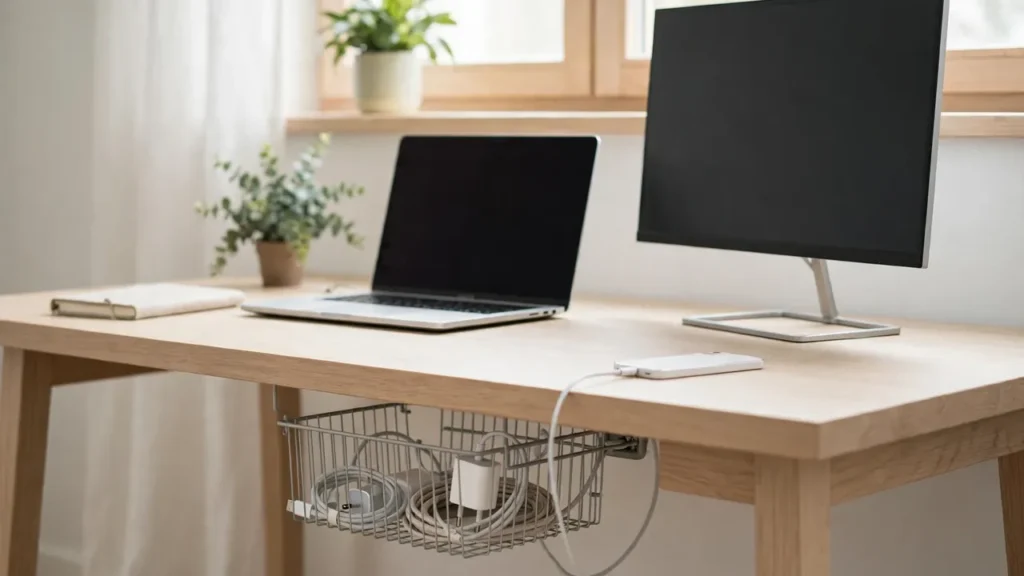
A cable basket is a wire or mesh container, often shaped like a shallow basket or a rectangular box with open sides, that hangs under the desk. Baskets are usually lighter and more flexible than trays, and they can hold a loose bundle of cables, a power strip and a couple of adapters in a single pile.
Because a basket is made of wire or mesh, air moves through it freely, which helps keep adapters cool. The open weave also makes it easy to see what is inside. The downside is that cables tend to sit in a heap rather than in a neat line, and a heavy load can pull the basket out of shape. Baskets are often fitted with hooks, clamps or adhesive pads, and some are designed to hang from the back edge of the desk.
Tray vs Basket at a Glance
| Feature | Cable tray | Cable basket |
|---|---|---|
| Shape | Rigid, straight channel | Wire or mesh container |
| Best for | Power strip plus several cables | Small, light cable bundle |
| Weight capacity | Usually higher, if fixed well | Usually lower; can sag |
| Access | Easy: lift cables out from above | Good, but cables sit in a heap |
| Ventilation | Good if slotted; check the design | Very good through the mesh |
| Cost | Often a little more | Often cheaper |
| Fitting | Screws, clamps or adhesive | Hooks, clamps or adhesive |
Use the table as a starting point, not a final verdict. Two trays from different makers can differ more than a tray and a basket from the same range. Always check the stated size, weight rating and fixing method on the product you are considering, and measure your desk and your power strip before you buy.
Capacity and Weight: The Deciding Factor
Capacity is where most people go wrong. Count everything that will live under the desk: the power strip, each adapter, and each cable. A laptop charger, a monitor adapter and a printer adapter together are surprisingly heavy, and their weight is concentrated in a few lumps rather than spread evenly.
A rigid tray spreads that weight along its length and across two or more fixing points, so it copes better with heavy adapters. A basket concentrates the weight in the middle, where the wire can bend. If your basket is rated for light cables only, do not load it with a power strip and three adapters and expect it to hold its shape.
Measure the power strip too. Some strips are longer than a short tray or basket, and some are too tall to sit inside a shallow tray with the lid — if it has one — closed. A tray that is a few centimetres longer than your strip, with room for cables to enter at each end, will be far easier to use than one that is an exact fit.
Access: Adding and Changing Cables
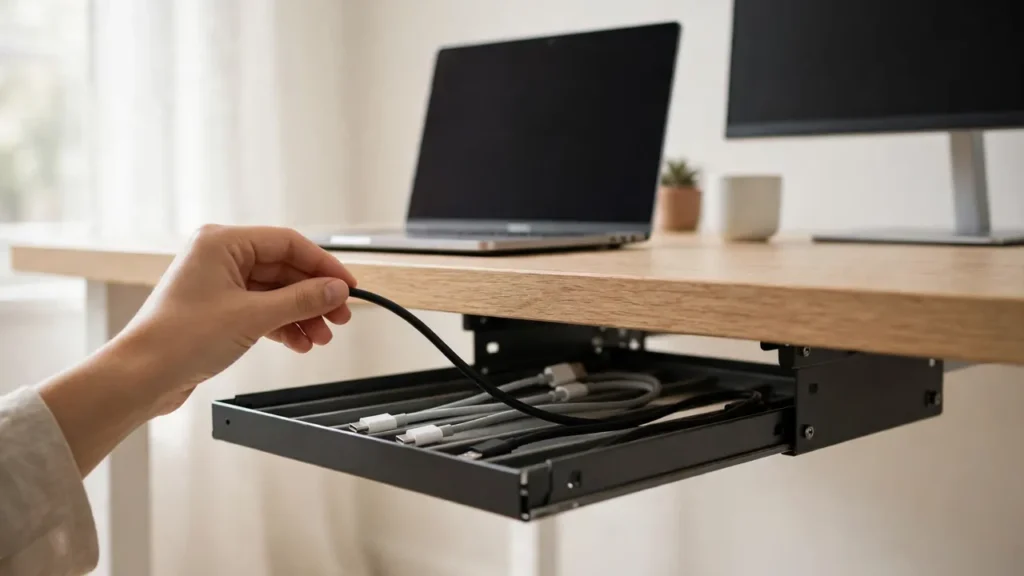
You will change cables more often than you expect: a new monitor, a replacement charger, a borrowed laptop. A tray wins here because it is open at the top. You can lift a cable out, add a new one, and lay it alongside the others without disturbing the rest.
In a basket, cables tend to tangle in a heap, so removing one often means lifting the whole pile. That is fine if you rarely change anything, but frustrating on a desk where devices come and go.
Whichever you choose, keep the power strip switch reachable. A tray mounted close to the side you sit on, with the switch facing out, is easier to use than a basket tucked in the middle of the desk where you have to reach underneath to find it.
Safety and Ventilation
Both trays and baskets can be safe, provided they are used correctly. The rules are the same for both: do not overload the power strip, do not daisy-chain one strip to another, do not cover adapters that get warm, and do not run cables where they can be crushed by a chair, a drawer or a moving standing-desk frame.
Ventilation matters because power adapters generate heat in use. A wire basket ventilates well by design. A solid plastic tray with no holes can trap warm air, so look for a tray with slots or holes in the base and sides, and do not wrap adapters tightly in fabric or pack the tray so full that air cannot move. If an adapter feels hot to the touch after use, give it more space and more air, and check the device manual.
Check the fixings regularly, especially in the first few weeks. A tray or basket that is slowly pulling away from the desk is a warning sign. Tighten screws if the fitting allows it, replace worn adhesive pads, and move heavy adapters out if the tray is sagging. A falling power strip is a safety problem, not just a mess.
Which Is Better for Your Desk?
Choose a tray if you have a power strip and several devices
A tray is the better choice for a typical home office: a monitor, a laptop charger, a printer, speakers and a phone charger, all fed from one strip. It holds the strip in a straight line, keeps cables in order, and copes with the weight. It also looks tidier from the front, because the straight channel hides the cables in a single line.
Choose a basket if your setup is small and light
A basket is a good choice for a simple setup — a laptop and a monitor, for example — where you want a cheap, light fix and you do not need to carry a heavy strip. It is also useful as a second container: a tray for the strip and main cables, plus a small basket at the side for spare charging cables.
Think about your desk material
On a solid wooden desk, a screw-fixed tray is the strongest option and will last for years. On a rented desk, a glass desk or a desk you do not want to drill, a clamp-on tray or a clamp-on basket is better. Adhesive trays and baskets can work on a smooth, clean surface, but they need the right weight rating and a proper curing time, and they will not hold a heavy load on a rough or waxed finish.
Common Mistakes
- Buying too small: measure the power strip and the bulkiest adapter, not just the cables. A tray or basket that is an exact fit will overflow.
- Overloading a light basket: a basket rated for thin cables will sag under a power strip and several adapters.
- Ignoring the fixings: adhesive on a dirty surface, or screws that are too short, will fail. Follow the instructions for the fixing you have.
- Packing it too full: a tray stuffed tight traps heat and makes it hard to add or remove a cable. Leave space for air and for change.
- Hiding damaged cables: frayed or cracked cables should be replaced, not tucked out of sight in a tray or basket.
- Blocking the switch: if you cannot reach the power strip switch easily, the tray or basket is in the wrong place.
Troubleshooting
The tray or basket keeps falling down. Check the fixings, the surface and the weight. Clean the surface and use fresh adhesive pads, or switch to a clamp or screw fixing if your desk allows it. Remove heavy adapters until the load is within the stated rating.
Cables spill out of the ends. The tray or basket is too small, or the cables are too long. Use shorter cables where you can, and coil spare length neatly inside the tray rather than letting it hang out.
The basket has sagged in the middle. Move heavy adapters to the ends, near the fixings, or move them out of the basket altogether. If it keeps sagging, replace it with a rigid tray.
Frequently Asked Questions
Can I use a tray and a basket together? Yes. Many desks use a tray for the power strip and main cables, and a small basket for spare or less-used cables. Just make sure both are fixed well and neither blocks the other.
Is a metal tray better than a plastic one? Metal is usually stronger and holds its shape better under a heavy load. Strong plastic is lighter, cheaper and will not rust. Either can work if the size and weight rating suit your setup.
Will a tray work on a standing desk? Yes, provided the tray is fixed to the moving desktop, not to the fixed frame, and the cables have enough slack to move up and down. Check the full range of movement before you load it.
For most desks, the answer to under desk cable tray vs basket is a tray: it is stronger, tidier and easier to change. A basket is the right choice when the setup is small, light and rarely changes, or as a cheap second container. Measure your strip, check the weight rating, fit the empty container first, and leave room for air and for change — whichever you choose, it will stay tidy far longer.