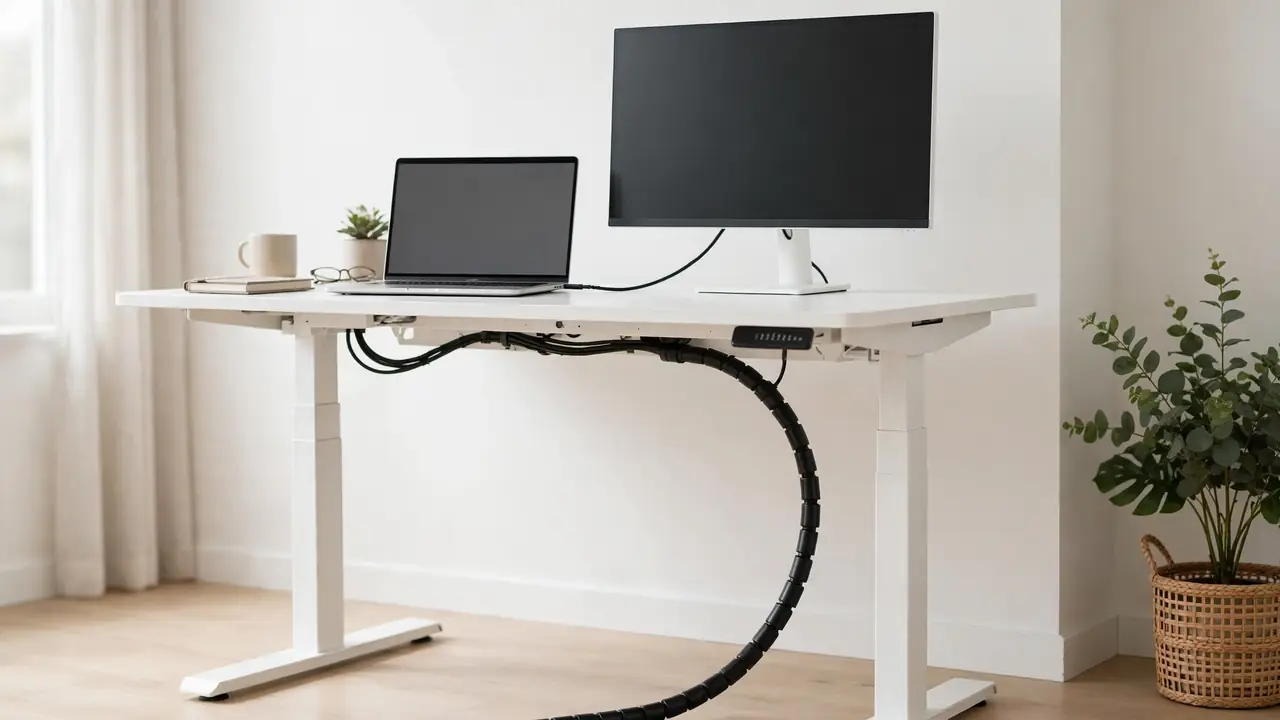
To stop standing desk cables catching on the frame, keep every cable inside the frame envelope and away from moving parts, carry the bundle from the desktop to the floor in a cable spine or chain, leave a gentle slack loop at each end, and fix clips to the desktop underside rather than to lifting columns or the crossbar. Then test by raising and lowering the desk slowly through its full range while watching the bundle. Most catching comes from a cable hanging outside the frame, a route crossing a moving joint, or slack pooling where the frame folds.
A fixed desk only has to look tidy in one position. A standing desk must stay tidy, safe and free-moving at every height. Each time it rises or falls, the lifting columns telescope, the crossbar moves with the desktop, and the distance to the floor changes. Any cable that hangs loose, crosses a joint or dangles outside the frame will eventually snag.
Why Standing Desk Cables Catch on the Frame
Standing desk cables catching on the frame usually has three causes: the route crosses a moving part, the cable hangs outside the frame envelope, or the slack is wrong. These are the parts that most often catch cables:
- Lifting columns: the telescoping legs. Cables beside a column can be pinched as the sections slide, or snagged on the collar where sections meet.
- Crossbar: the bar joining the two legs. Cables draped across it get dragged up and down, because it moves with the desktop.
- Feet: a cable reaching the floor beside a foot can be trapped under it when the desk lowers, or caught on an end cap or levelling glide.
- Control box and motor housing: usually under the desktop or on the crossbar. Their corners and brackets are common snag points.
- Brackets, bolts and sharp edges: exposed bolt heads and cut steel edges can catch a passing cable, and even a small burr can wear through insulation over months of daily movement.
Slack is the paradox at the heart of this problem. Too little and cables pull taut at full height; too much and the excess pools at the bottom of the travel, draping over the crossbar or bunching against a column. The answer is controlled slack: a loop held in a spine or guided by clips that lengthens and shortens smoothly as the desk moves.
Diagnose Where the Catching Happens
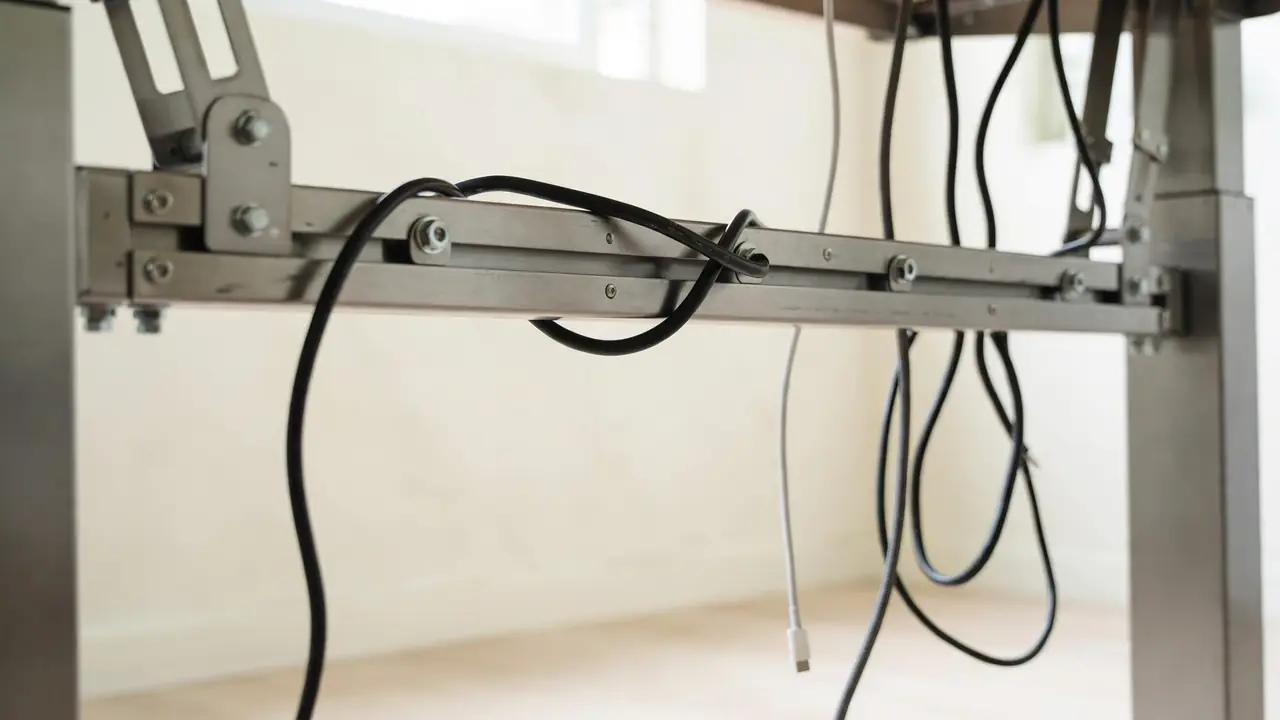
Do not buy accessories until you know exactly where the catching happens. Clear the desktop, crouch underneath with a torch, and trace each cable from its device to the floor or wall socket.
Then run the most useful test there is. With nothing valuable on the desktop, raise and lower the desk slowly through its full range — lowest to highest and back — watching each cable rather than the desktop. Note the exact height and frame part where a cable hesitates, drags or tightens, then repeat from the other side, because a snag on the far side is easy to miss. If the desk stops, strains or makes an unusual noise, stop immediately and investigate; do not force it.
Most catching happens at the extremes. At full height, cables are at their longest reach; at the lowest setting, excess cable pools against the crossbar, feet or floor. A route that looks perfect at sitting height can fail at both ends, so always test the full range. With the desk stationary, feel along the frame parts for sharp edges and mark them with masking tape. Usually one or two cables cause most of the trouble, so fix the worst cable first and retest.
What You Need
| Item | What it does |
|---|---|
| Cable spine or chain | Carries the bundle from desktop to floor, flexing as the desk moves |
| Cable clips | Hold cables to fixed parts of the desktop underside and frame |
| Hook-and-loop ties | Bundle cables loosely without crushing them |
| Under-desk cable tray | Holds the power strip and excess cable under the desktop |
Buy the spine first and the clips second; the rest is optional. A wide fabric sleeve or a chain from an old desk can substitute for a new spine, and hook-and-loop ties cost very little. Do not improvise the fixings: a clip that cannot hold the bundle’s weight will fail, usually overnight. Check the weight rating on any adhesive product and test one fixing under load for a day before trusting the rest.
How to Stop Standing Desk Cables Catching: Step by Step
Step 1: Unplug, untangle and lay the cables out
Switch the desk off and unplug the power strip — plugged directly into the wall socket, never daisy-chained — before handling cables underneath. Unplug each device cable, untangle the bundle, and lay the cables out in the order they will run. Remove cables you no longer use, and label both ends of each cable.
Step 2: Reroute away from moving parts, inside the frame envelope
Cables should be fixed to parts that do not move relative to each other, and should cross moving joints only inside a spine. Route the bundle along the desktop underside, across to one side, then straight down inside a spine to the floor. The frame envelope — the space between the two legs and behind the front edge of the desktop — is the safe zone, and cables inside it have nothing to catch on. If a cable must leave the envelope to reach a wall socket, let it leave at floor level, after the spine.
Step 3: Fit a cable spine or chain
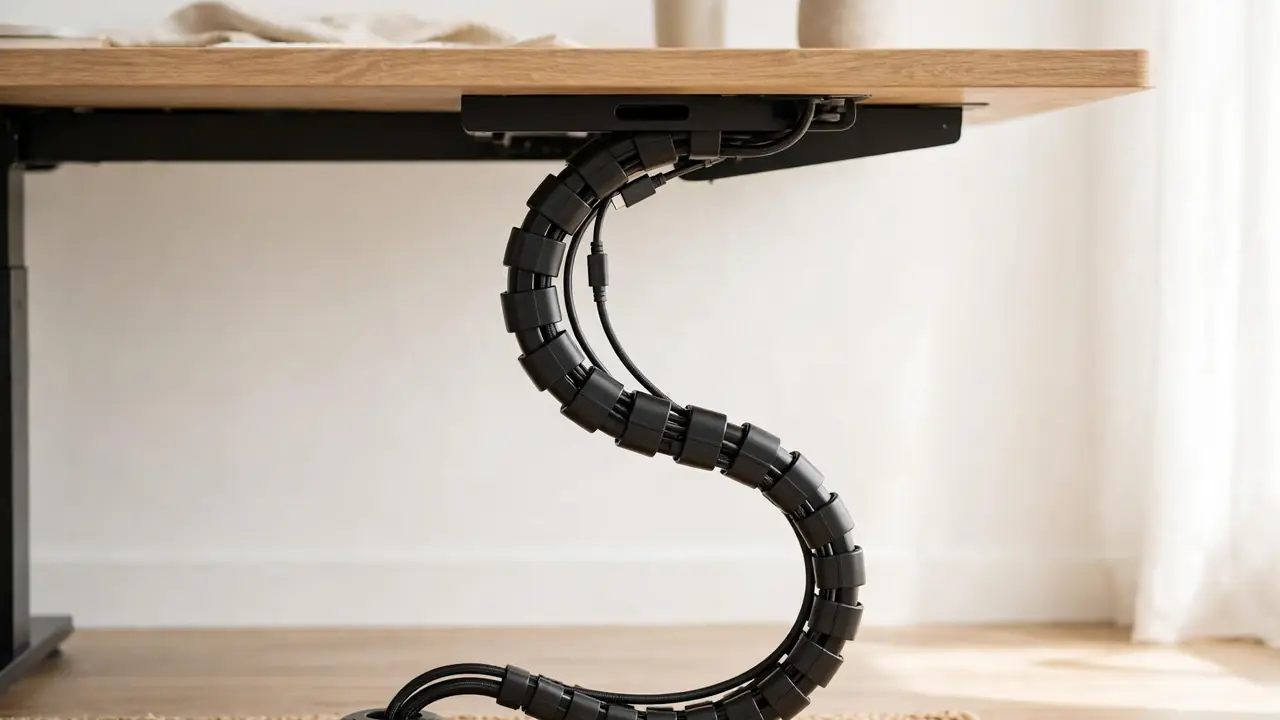
A cable spine is a segmented chain that holds the bundle in a controlled curve from desktop to floor. As the desk rises it extends; as it lowers, it folds into a neat loop, so cables inside it can neither pull taut nor pool freely. Fit the top to the desktop underside or cable tray and the bottom to the floor, a weighted base or the foot of the desk, following the manufacturer’s instructions, and feed the cables through loosely with a gentle loop of slack at the top. Measure the desktop-to-floor distance at full height before buying.
Step 4: Clip to guide, and build in slack loops
Clips should guide cables, not strangle them. Fix them to the desktop underside and fixed frame parts, spaced so the bundle follows a smooth path with gentle bends, and leave a little play in each clip so cables can slide slightly as the desk moves. Never clip a cable to a lifting column or the crossbar — both move, and a cable fixed to them will be dragged, pinched or pulled loose. Use hook-and-loop ties rather than zip ties, which crush cables and cannot be adjusted. Leave a small slack loop at each end of the spine.
Step 5: Protect pinch points, then retest the full range
Where a cable must pass near a pinch point or sharp edge — where it leaves the tray, for instance, or passes a bracket — protect it with spiral wrap, a fabric sleeve, a rubber edge protector or a grommet. If it still rubs in the same spot, reroute it. Then run the desk slowly through its full range, lowest to highest and back, watching from both sides. No cable should go taut, drag, hesitate or change direction sharply.
Common Mistakes That Cause Catching
- Clipping cables to the lifting columns. The columns telescope, so anything fixed to them is dragged or pinched. Clip to the desktop underside or fixed frame parts only.
- Running cables over the crossbar. It moves with the desktop, so a cable resting on it is carried up and down and will eventually slip off one side and snag.
- Using zip ties on a moving desk. They cannot be adjusted, they crush cables, and they create fixed points the moving desk then stresses. Use hook-and-loop ties.
- Testing only at sitting height. A route that works at one height can fail at both extremes. Always test the full range.
- Drilling into the frame or lifting columns. Never drill into a lifting column, cut into the frame, or modify the mechanism to fit a clip or tray. It can damage the lifting mechanism and void the warranty. Use fixings the manufacturer approves.
What to Do If a Cable Is Already Nicked or Damaged
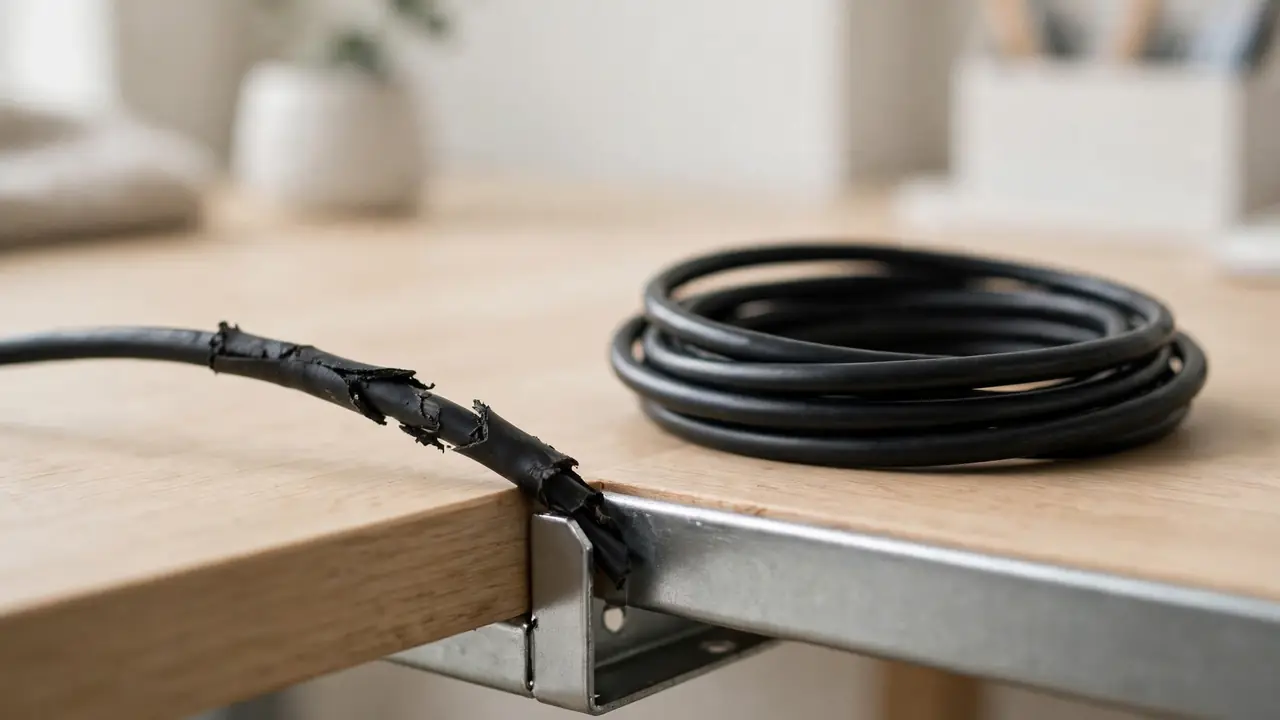
If you find a cable with nicked, cracked or flattened insulation, or exposed conductors, stop using it. Unplug it from the wall socket first, then from the device, and replace it with a new cable of the correct type and rating. Do not tape over damaged insulation and carry on: tape hides the damage, it does not repair it, and a cable pinched once is likely to be pinched again in the same place.
While the cable is out, fix the cause. A nicked cable is evidence of a snag point, so find the frame part that did the damage and reroute or protect the replacement before plugging it in. If a mains cable has been damaged, or you are unsure whether a cable is safe, ask a qualified electrician rather than guessing.
When to Contact the Desk Manufacturer
Most catching is a routing problem you can fix yourself, but some situations belong with the manufacturer. Contact them if the desk stops, strains or makes grinding noises when it moves, if a lifting column is visibly bent or misaligned, if the control box shows an error or the desk will not hold its height, or if a frame part has a sharp edge or burr that looks like a manufacturing defect. Describe the problem precisely — which part catches, at what height, and what you have already tried — and follow their guidance rather than modifying the frame yourself.
Troubleshooting: Quick Fixes by Symptom
| Symptom | Likely cause | Fix |
|---|---|---|
| Cable tugs at full height | Not enough slack in the spine | Add slack at the top loop or fit a longer spine |
| Cable pools at the lowest setting | Too much free cable outside the spine | Shorten the free length; check the bottom loop folds neatly |
| Cable catches on the crossbar | Route drapes over the bar | Reroute inside the frame envelope, above the bar |
| Cable snags beside a leg | Route passes a lifting column | Move the bundle into the spine, away from the column |
Frequently Asked Questions
Why do my standing desk cables keep catching even after I tidied them?
Usually because the tidy route only works at one height. A bundle clipped neatly at sitting height can pull taut at full height and pool at the lowest setting. The fix is a spine that carries the bundle through the whole range, plus slack loops at both ends, tested at both extremes.
Do I need a cable spine, or will clips be enough?
Clips alone can work on a desk that rarely changes height, but for a desk that moves daily a spine is the reliable solution, because it controls the slack as the desk moves. Clips guide the route on the desktop; the spine manages the vertical drop.