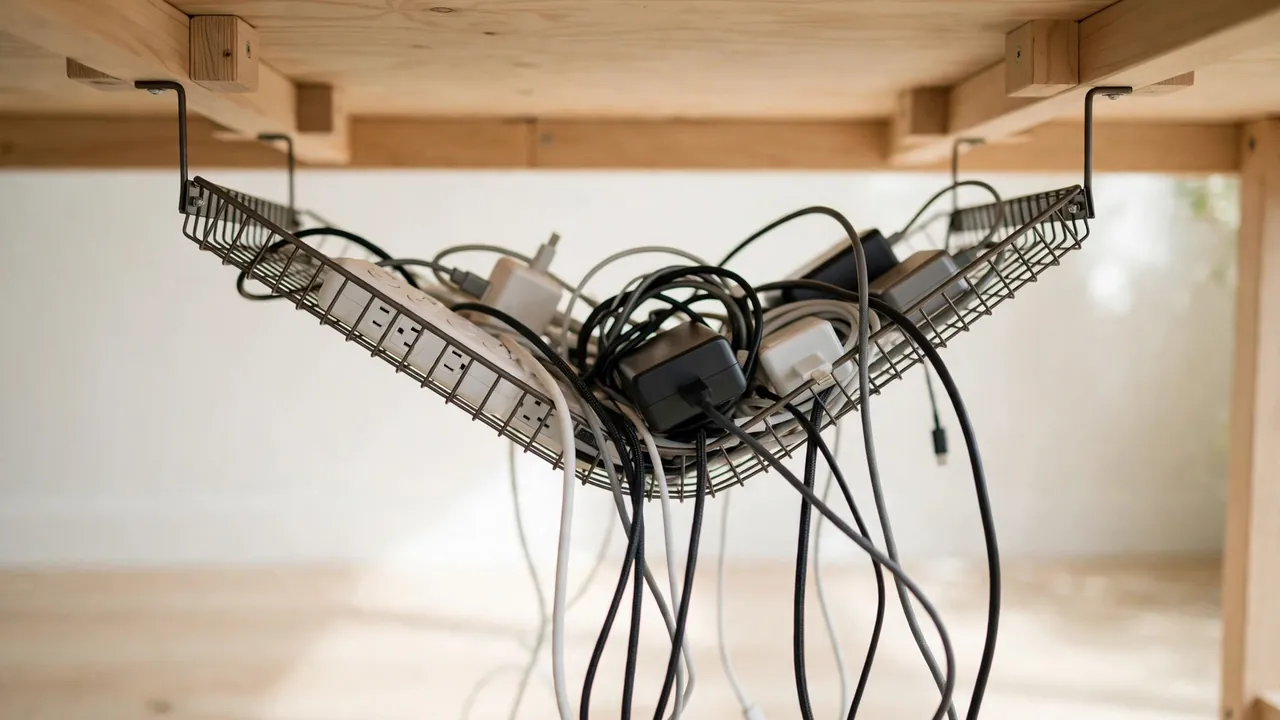
An under desk cable tray falling down is almost always fixable, and the right fix depends on why it fell. Usually the cause is one of four things: the adhesive has failed, the screws have pulled out of a thin or soft desktop, the tray is overloaded, or the tray itself is flexing. Work out which one applies, fix that cause properly, and the tray should stay put.
Why an Under Desk Cable Tray Keeps Falling Down
Adhesive failure
Many trays come with adhesive pads or tape, and adhesive is the most common point of failure. A good bond needs a clean, dry, flat surface and a load within its weight rating. Dust, grease, polish, and textured finishes all weaken it, and heat makes it worse: an adapter warms it from below, a radiator or sunlight from above. Over weeks the bond creeps, then lets go — often overnight. A heavy extension lead and several adapters can also exceed what the pads were rated for.
Screws pulling out of the desktop
Screwed trays fail differently: the screws rarely snap, but pull out of the desktop material. This is common with thin desktops, hollow-core tops, chipboard, and MDF. A screw only grips the material it passes through, so a short screw in a thin top has little to hold onto. MDF and chipboard are relatively soft, and once a screw hole has been worked loose by the tray rocking every time a cable is tugged, the hole enlarges and the screw loses its grip.

Overloading
Capacity is about weight, not volume. A heavy extension lead, two or three large laptop adapters, a USB hub, and a mass of cables add up quickly, and a full tray puts weight further from the fixing points, increasing the leverage on them. Overloading is often the real cause behind adhesive and screw failures alike.
Tray flexing
Cheap trays made from thin metal or plastic flex under load. When the middle sags, the ends lift slightly, peeling adhesive pads away a little at a time; with screwed trays, flexing works the screws loose. A tray that visibly bows in the middle needs less weight or a centre support point.
Cables tugging and heat
Cables running from the tray to the wall or floor pull on the tray every time the desk is moved or a laptop lead is pulled free. Height-adjustable desks make this worse: short cables tug at the tray as the desk rises and falls. Heat matters too — adapters generate heat in normal use, and a tray packed tightly around them traps it, softening adhesive. Adapters need airflow and should never be wrapped in fabric or buried under cables.
Diagnose the Problem Before You Fix It
- Look at the fixing points. Pads stuck to the desk mean a poor tray-side bond; pads left on the tray mean a poor desk-side bond. Pads stuck to both mean the load exceeded the rating, and screws that came out with crumbly material attached mean the material failed.
- Judge the load and the flex. Lift the tray’s contents: if the pile feels surprisingly heavy, overloading is likely part of the problem. Hold the loaded tray by its ends — if the middle sags, it needs more support or less weight.
- Identify the desk material. Tap the underside: a hollow sound suggests a hollow-core top, which needs different fixings from solid wood or thick MDF. Measure the thickness at an edge if you can.
Choosing the Right Fixings for Your Desktop
Always follow the manufacturers’ instructions for your product.
| Desktop material | What usually works | What to avoid |
|---|---|---|
| Solid wood, thick MDF or chipboard (25 mm or more) | Wood screws, pilot holes, washers | Screws poking through the top; no pilot holes near edges |
| Thin MDF or chipboard (under 25 mm) | Short screws, washers, more fixing points | Long screws; no pilot holes; two fixings only |
| Hollow-core top | Toggle anchors, or fix to the desk frame | Ordinary wood screws — almost nothing to grip |
| Glass or metal top | Adhesive pads, or clamps made for the desk | Drilling glass; wrong fixings in thin metal |
| Veneered top | Pilot holes, washers, screws that suit veneer | Over-tightening, which cracks veneer and strips the core |
If you are unsure what your desktop is made of, treat it as the weaker option: a fixing made for hollow material also works on solid wood, but a wood screw in a hollow top will not.
Fixing an Adhesive Failure
If adhesive let go, do not press the same pads back on: old adhesive rarely re-bonds.
- Remove all old adhesive from the tray and desk with a plastic scraper. Avoid metal scrapers on veneer or lacquer, which scratch easily.
- Clean both surfaces. Wipe with a damp cloth and mild detergent, let it dry, then wipe with isopropyl alcohol or a degreasing cleaner suitable for the finish. Any dust, polish, or grease left behind will weaken the new bond.
- Check the weight rating. Compare the adhesive’s rated load with the loaded tray’s weight. If it is marginal, move to screws.
- Apply new pads. Use fresh pads rated for the load, and more fixing points than the minimum — four pads hold better than two. Press firmly as directed, and leave the tray unloaded for the curing time on the packaging, often 24 hours.
If the desk surface is textured, oiled, or waxed, adhesive may never bond reliably — screws or a clamp-on tray are the better answer.
Fixing Screws That Have Pulled Out
Stripped holes cannot be reused: the hole is wider than the screw, so it spins without gripping.
- Move the fixing point. Drill fresh pilot holes a few centimetres away, in sound material, and mount the tray there. Fill the old holes with wood filler.
- Repair the hole with a wooden dowel. For MDF or chipboard, a glued hardwood dowel gives a screw something to bite into. It suits light loads, and the glue must cure fully first.
- Consider threaded inserts or toggle anchors. For thin or hollow tops, they spread the load wider than a bare screw. Choose the type matched to your desktop material.
- Add more fixing points, and always drill pilot holes. Four or six screws spread along the tray share the load; two carry it all on two small points. A pilot hole slightly smaller than the screw’s core stops MDF and chipboard splitting, and over-tightening strips the thread the screw has just cut.
Fixing an Overloaded or Flexing Tray
If the load is the problem, no fixing will hold forever.
- Take the extension lead out of the tray. A multi-socket lead with several adapters plugged in is usually the heaviest single item. Many have keyhole slots, so mount it separately.
- Split the load across two trays. Two trays, each carrying half the weight, are far more reliable than one overloaded tray.
- Shorten the cables. Excess cable coiled in a tray adds weight and traps heat. Use the shortest cables that reach comfortably, and leave a slack loop where cables leave the tray.
- Support a sagging tray. A tray that bows in the middle needs a centre support: a third fixing, a small bracket, or a short batten under the middle of the tray. If a plastic tray flexes badly even when lightly loaded, replace it with a rigid metal one.
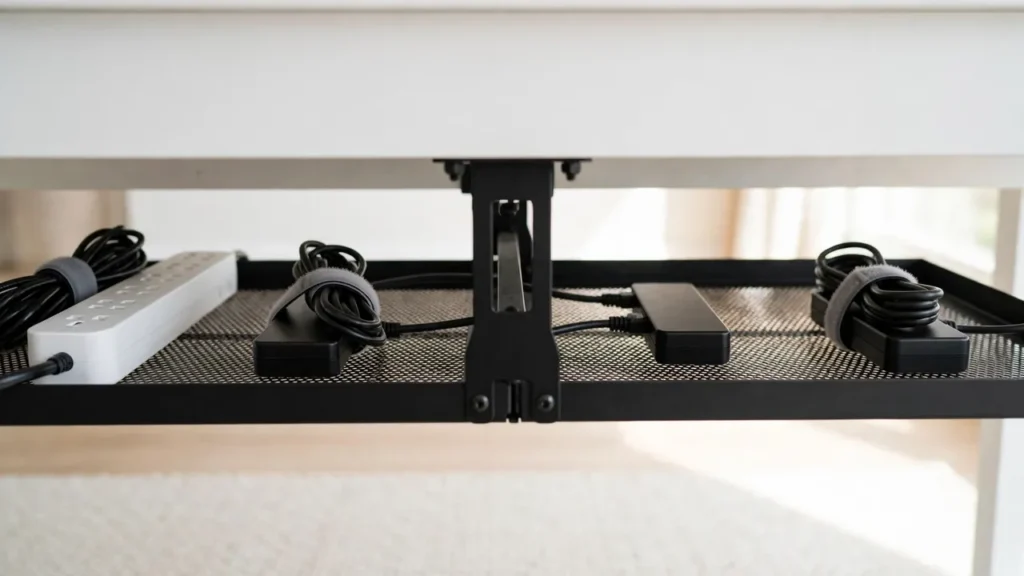
Step-by-Step: Refitting a Fallen Tray
Here is the whole job for a screwed refit on a wood-based desktop. You will need a screwdriver or drill/driver, a drill bit slightly smaller than your screws, a pencil, and washers.
- Empty the tray and remove the old fixings. Lay the contents on the desk — if the pile surprises you, overloading is part of the problem. Take out remaining screws, peel off old adhesive, and clean the underside of the desk.
- Mark the new positions. Hold the tray in place and mark the fixing points with a pencil, spread widely and away from old stripped holes and the desk edge.
- Drill pilot holes slightly smaller than the screw core, just short of the screw length. Measure the desktop thickness first, so the screw cannot poke through the top.
- Fix the tray loosely at first, check the position, then tighten each screw in turn. Do not over-tighten.
- Reload gradually, lightest cables first, spreading weight evenly and keeping adapters spaced apart for airflow. Bundle cables with hook-and-loop wraps, leave a slack loop where cables leave the tray, and keep cables clear of chair wheels and desk legs.
- Check it after a day and after a week. Give each screw a gentle check and look for sag or peeling. A tray still solid after a week of normal use is fixed.

Common Mistakes That Cause Trays to Fall Again
- Reusing stripped holes. A screw in an enlarged hole has nothing to grip. Move the fixing or repair the hole properly.
- Skipping surface preparation. New pads on a dusty, greasy, or polished surface are the most common reason adhesive fails twice.
- Over-tightening screws in MDF or chipboard. One extra turn can strip the thread the screw has just cut.
- Ignoring cable tension and covering hot adapters. A perfectly refitted tray will still fail if a short cable tugs at it, and burying adapters under cables traps heat.
Troubleshooting: It Fell Again — What Now?
| Symptom | Likely cause | Next step |
|---|---|---|
| Fell within hours of refitting | Adhesive loaded before curing, or surface not prepared | Strip, clean, re-apply fresh adhesive; leave unloaded to cure fully |
| Fell after weeks or months | Adhesive creep under sustained load or heat | Switch to screws or clamps; reduce the load |
| Screws pulled out with crumbly material attached | Desktop material too soft or thin for the screws | Move to sound material; add washers and more fixing points |
| Tray sags in the middle but ends hold | Tray flexing under load | Add a centre support or replace with a rigid tray; reduce the load |
Frequently Asked Questions
Is adhesive or screws better for an under desk cable tray?
For a tray carrying any real weight, screws are more reliable than adhesive. Adhesive suits light loads on a smooth, clean, flat surface and avoids drilling. Screws hold more weight and resist heat better. If your tray has fallen once with adhesive, switching to screws is usually the right move.
How much weight can a cable tray hold?
It depends on the tray and the fixings, and many trays do not publish a clear weight limit. Keep the load well below what feels like the limit: a tray that sags or creaks is already carrying too much. If in doubt, split the load across two trays or move the extension lead and large adapters out.
The Bottom Line
An under desk cable tray falling down is telling you something specific: failed adhesive, pulled-out screws, overloading, or flexing. Find out which one it is, fix that cause with fixings matched to your desktop material, spread the load, and leave cables slack enough that they never tug on the tray. If you have refitted the same tray twice and it has fallen again, replace it with a rigid tray with more fixing points.