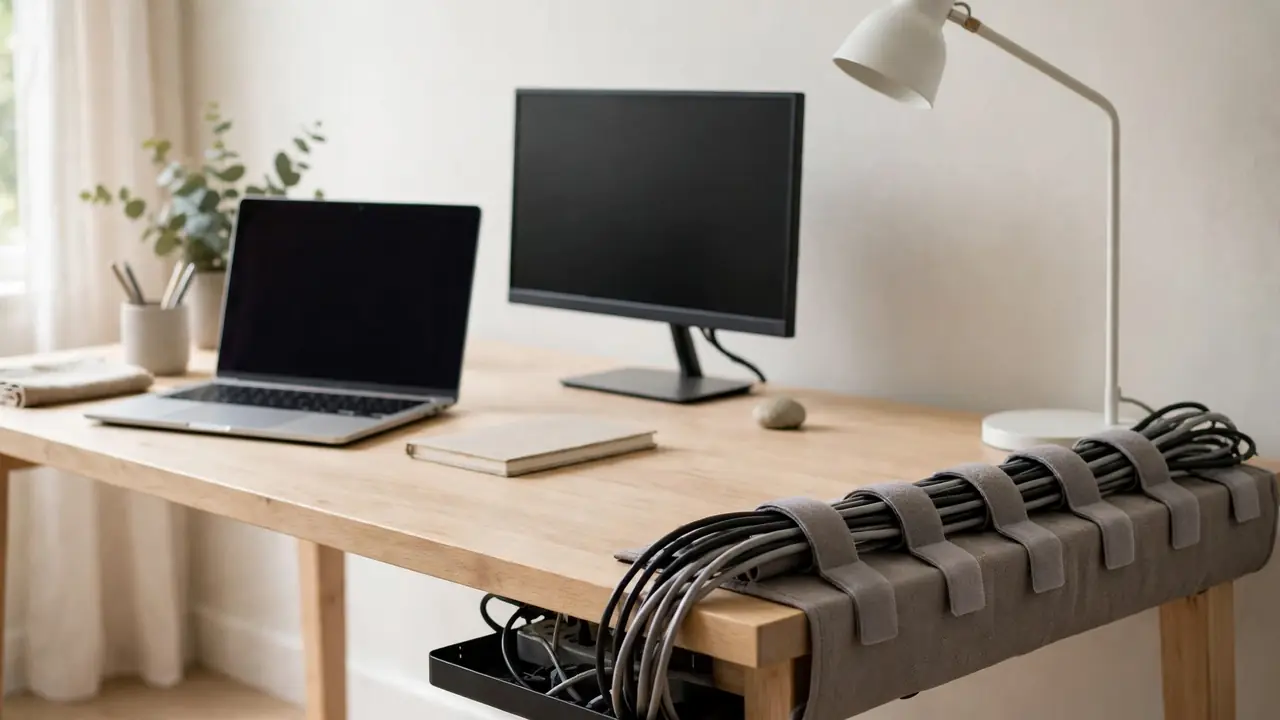
You can organise desk cables without using zip ties by using reusable hook-and-loop ties, cable sleeves, adhesive clips, cable trays and cable boxes instead. Hook-and-loop ties bundle cables loosely and can be opened and reused, sleeves hide a whole bundle in one neat run, and clips and trays guide cables under the desk. Together they give you a tidy desk that is easy to change — which is exactly where zip ties fail.
Zip ties are cheap and strong, but they are a poor choice for desk cables. Once tightened, they cannot be loosened without cutting them off, so every change means cutting, waste and a risk of nicking a cable. They also pull tight in one spot, which can pinch thin cables and leave a permanent kink. The alternatives below do the same job, cost little more, and can be reused for years.
Why Avoid Zip Ties?
The main problem with zip ties is that they are single-use. Add a monitor, replace a charger or move a laptop, and you have to cut the tie off and fit a new one. Over a year, that adds up to a lot of cut plastic and a lot of fiddling under the desk.
Tight zip ties can also damage cables. A tie pulled hard around a thin charging cable or a delicate data cable can pinch the insulation and, over time, weaken the wires inside. A tie that is too tight also makes a sharp bend in the cable at the tie point, which is where cables most often fail. Loose ties are no better: they slide along the cable and do nothing.
Finally, zip ties look messy when they are cut. The short tail left after cutting is sharp, catches on sleeves and skin, and is hard to trim neatly in the cramped space under a desk. Reusable ties and sleeves avoid all of that.
The Best Zip-Tie Alternatives
Reusable hook-and-loop ties
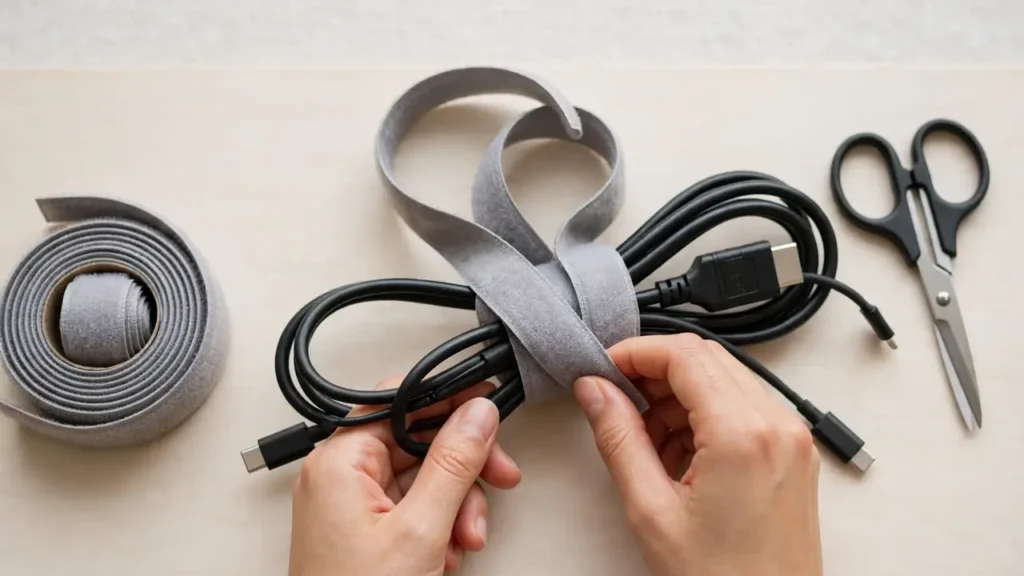
Hook-and-loop ties — the soft, fabric ties that fasten to themselves — are the closest direct replacement for a zip tie, and the best one for most desks. Wrap one around a bundle, press it closed, and it holds. To add or remove a cable, peel it open, adjust the bundle and close it again. No cutting, no waste, no sharp edges.
Use them loosely. A tie should hold the bundle together, not squeeze it. Leave enough room for the cables to move a little, and space the ties along the run rather than putting them all in one place. Buy them in a roll or a pack and cut them to length, so you can make a short tie for two cables and a longer one for a full bundle.
Cable sleeves and spiral wrap
A cable sleeve is a fabric or plastic tube that several cables run through together. It hides the whole bundle in one neat line, protects the cables, and looks far tidier than a row of ties. Split sleeves open along their length, so you can add or remove a cable without unplugging everything. Spiral wrap winds around the bundle in the same way.
Sleeves work best for a run that does not change often — for example, from a cable tray to a monitor, or along the back of a desk. Choose a sleeve that is wide enough for the bundle with room to spare, and do not force thick adapters into a sleeve made for thin cables.
Adhesive clips and cable holders
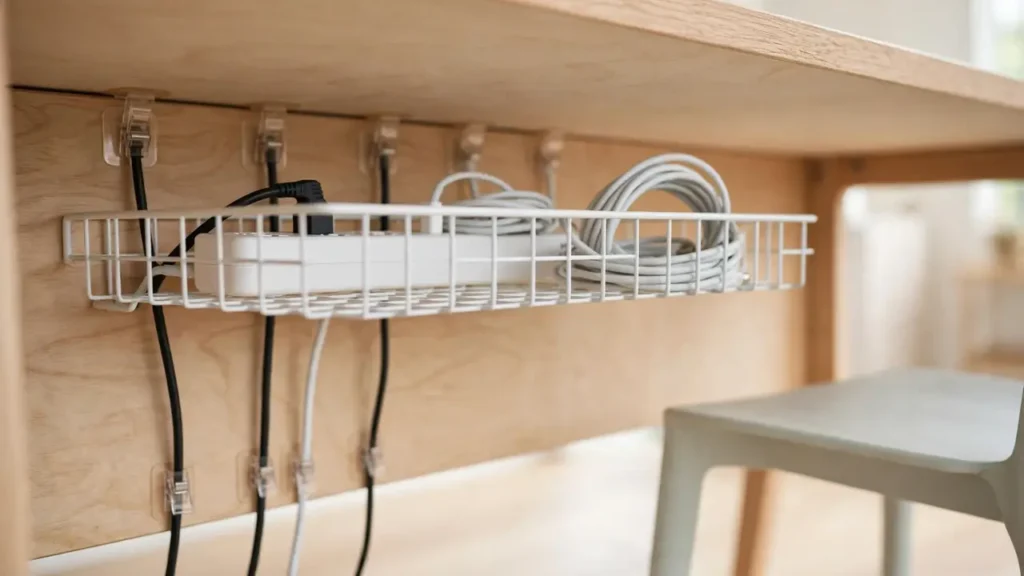
Adhesive clips stick to the underside or the back edge of the desk and hold one cable, or a small group, in place. They are ideal for guiding a cable from a tray to a device, or for keeping a charging cable from falling behind the desk. Use them to guide and support, not to carry a heavy bundle on their own.
Clean the surface before you stick a clip down, let it dry, and press the clip firmly. If a clip keeps falling off, the surface may be dusty, waxed or textured — try a clip that grips the desk edge instead, or move the cable into a tray.
Cable trays, baskets and boxes
A tray or basket under the desk holds the power strip and the slack, so you do not need ties to keep the middle of the run tidy. A cable box on the floor or on the desk does the same job for a strip and its plugs. With the bulk hidden in a tray or box, the visible runs are short and easy to manage with a sleeve or a few clips.
What You Will Need
- Reusable hook-and-loop ties, in a roll or a pack, in a width that suits your cables.
- A cable sleeve, spiral wrap or split tubing, long enough for your longest run.
- Adhesive cable clips, for guiding individual cables along the desk.
- A cable tray, basket or box, if you have a power strip and several cables to hide.
- Scissors, for cutting ties and sleeves to length.
- Coloured tape or small labels, for marking which cable belongs to which device.
Step-by-Step: Organise Without Zip Ties
Step 1: Unplug and untangle. Switch everything off and unplug every cable. Untangle them one at a time and follow each cable from its plug to its device. Label cables that look alike with coloured tape. Check for frayed insulation or cracked plugs, and replace any damaged cable rather than hiding it.
Step 2: Group cables by destination. Group the cables that go to the same place: all the monitor cables together, all the cables that run to the tray together, the charging cables together. Grouping by destination makes the bundle neater and makes it easier to find one cable later.
Step 3: Shorten the slack. Use the shortest cable that reaches comfortably, and coil any spare length neatly inside the tray or box, not in a loose loop on the desk. A cable that is far too long creates slack that has to be hidden somewhere, and no tie will make a two-metre loop look tidy.
Step 4: Bundle loosely with hook-and-loop ties. Wrap a tie around each group, loosely enough that the cables can move a little. Space the ties along the run — one near each end and one in the middle is usually enough. Do not pull them tight, and do not put a tie right next to a plug, where it can force a sharp bend.
Step 5: Hide the bundle in a sleeve or tray. Feed the bundle through a sleeve for a visible run, or lay it in a tray for the run under the desk. Use adhesive clips to guide the sleeve or bundle along the underside, and to hold the drops — the short lengths from the desk surface to the tray — against the back of the desk.
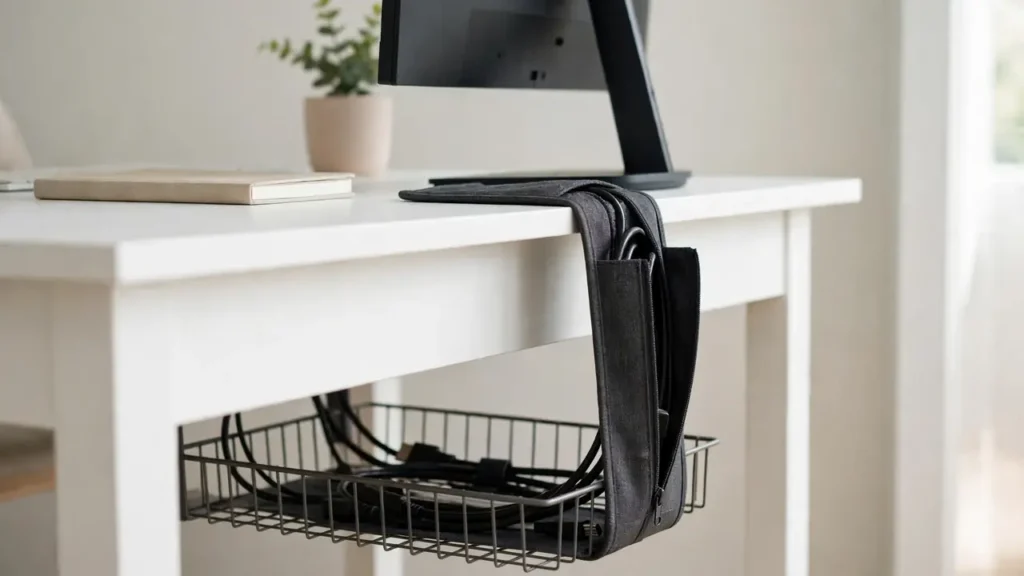
Step 6: Test the setup. Plug everything back in, sit down, and move your chair. Check that no cable hangs below the tray, nothing dangles into leg space, and you can move a monitor or lift a laptop without tugging a plug. Add or move a tie or clip where the bundle sags, and loosen any tie that is pinching a cable.
Common Mistakes to Avoid
- Pulling hook-and-loop ties too tight: a tie should hold the bundle, not squeeze it. Tight ties pinch cables just as zip ties do.
- Using a sleeve that is too small: forcing cables into a narrow sleeve bends them and makes it hard to add a cable later.
- Grouping everything into one giant bundle: one huge bundle is hard to change and hard to trace. Group by destination instead.
- Sticking clips to a dirty surface: adhesive on dust or polish will peel away. Clean, dry and press firmly.
- Forgetting slack: cables need a little slack to move a monitor, lift a laptop or raise a standing desk. Tight cables tug at sockets.
- Hiding damaged cables: frayed or cracked cables should be replaced, not tucked into a sleeve out of sight.
- Covering warm adapters: do not wrap a power adapter tightly in a sleeve or seal it in a box with no airflow.
Troubleshooting
The bundle keeps sagging. Add another hook-and-loop tie or an adhesive clip to support the middle of the run. A long run with ties only at the ends will always sag in the middle.
Cables slip out of the sleeve. The sleeve may be too wide, or the bundle may be pulling tight at one end. Add slack, and use a hook-and-loop tie at the sleeve entrance to hold the bundle together.
Clips keep falling off. Clean the surface again and use fresh clips, or switch to a clip that grips the desk edge. Check the weight: a clip made for one thin cable will not hold a bundle of four.
I cannot find one cable in the bundle. The bundle is too big or the cables are not labelled. Split it into smaller groups by destination, and label each end with coloured tape.
The tray is tidy but the drops still look messy. Use a short sleeve or a clip for each drop, and route the drop down the back of a monitor stand or behind a laptop stand so it is hidden from the front.
Frequently Asked Questions
Are hook-and-loop ties as strong as zip ties? For desk cables, yes. They hold a bundle firmly enough for normal use, and they can be opened and reused. They are not meant for heavy industrial loads, but a desk bundle is not a heavy load.
Can I reuse hook-and-loop ties? Yes — that is the point. Peel them open, adjust the bundle and close them again. Wash them if they get dusty, and replace them if the hook surface stops gripping.
Do cable sleeves trap heat? A loose sleeve around data cables is fine. Do not wrap a power adapter tightly in a sleeve, and do not seal adapters in a box with no airflow. Leave space for air around anything that gets warm in use.
What if I have already used zip ties? Cut them off carefully with scissors, away from the cable, and replace them with hook-and-loop ties. Check the cable where the tie was: if the insulation is pinched or creased, replace the cable.
Is it safe to bundle power and data cables together? Loosely, yes, for normal desk use. Keep heavy power cables from crushing thin data cables, avoid sharp bends, and do not overload the power strip. If you are unsure about a specific device, check its manual.
Organising desk cables without zip ties is simpler than it sounds: group cables by destination, bundle them loosely with reusable ties, hide the bundle in a sleeve or tray, and guide the drops with clips. The result is a desk that looks tidy, is easy to change, and does not damage the cables it is meant to protect — and you will never need to cut a tie off again.