
If your standing desk cables snag or dangle every time you raise the desktop, a cable spine or a cable chain will fix it. A cable spine is a flexible vertical tube that hangs from the desk to the floor, hiding your cables inside it. A cable chain is a series of linked segments that folds and unfolds as the desk moves, guiding the cables along a smooth curve. For most home setups, a spine is the tidier, simpler choice; for heavier loads or a desk that moves many times a day, a chain is usually more durable. This guide compares standing desk cable spine vs chain on cost, capacity, installation and durability, then shows you how to fit each one.
What Is a Cable Spine?
A cable spine is a flexible vertical column, usually a segmented plastic or rubber tube, that runs from the underside of your desk to the floor and holds your cables inside a hollow core. As the desk rises, the spine extends; as it lowers, it compresses. From the front, all you see is a neat column.
Some spines are open-backed, so you can press cables in and add or remove one later. Others are a closed tube you thread cables through from the top. The spine fixes at the top to the desktop or a cable tray and rests on the floor with a weighted foot or plate. It works best when your socket is directly below or close to the desk — a socket a metre or more to one side still needs a cable run along the floor.

What Is a Cable Chain?
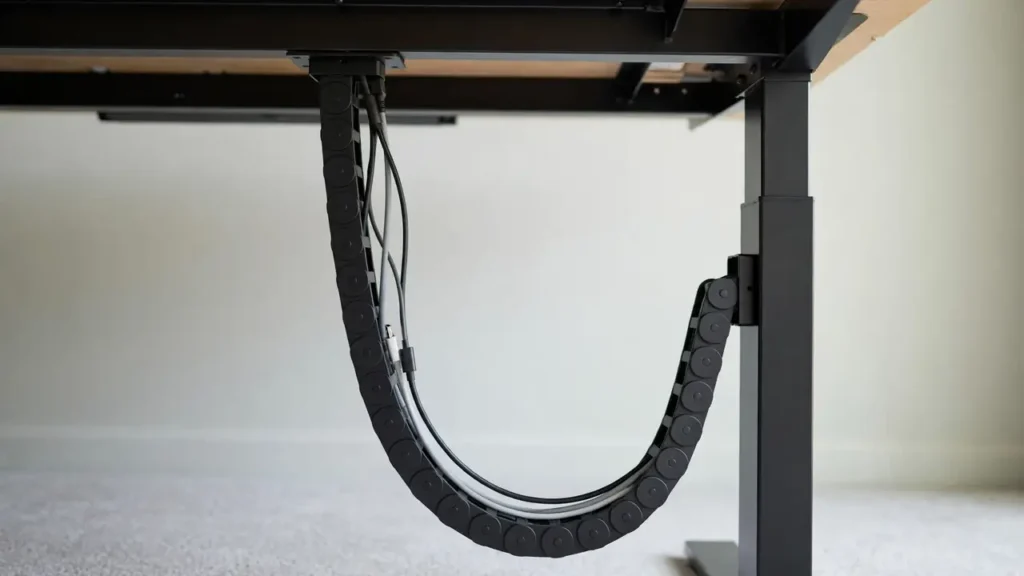
A cable chain, also called an energy chain or drag chain, is a series of interlocking links that form a flexible conduit for cables. Each link pivots slightly against the next, so the chain bends in one plane — usually into a U-shape — while staying rigid enough to support the cables inside. One end fixes to the moving desktop and the other to a fixed point, usually the desk frame, a leg or the floor.
As the desk rises, the chain unfolds; as it lowers, the chain folds back into its U-shape. The cables follow the same smooth curve, so they are never stretched, pinched or dragged across the floor. Most desk chains are openable: the crossbars unclip so you can lay cables in, then snap shut. Chains come in different widths and bend radii, so you can choose one that fits thick power cables as well as thin data cables.
How Each Works With a Height-Adjustable Desk
Both solve the same problem: when a standing desk moves, the distance between the desktop and the floor socket changes, so the cables must change length too. Left loose, cables can catch on the legs, pull on plugs, or get trapped in the lifting mechanism.
A spine flexes vertically and is at its best when the desk moves straight up and down and the cable run is a short vertical drop. It needs no fixed anchor at the bottom beyond its own weight, so it is forgiving if the desk is moved slightly or the floor is uneven.
A chain folds and unfolds between two fixed anchor points — one that moves with the desktop and one that stays still. That suits desks with a longer travel range, because the chain simply folds into a tighter or looser loop. At the lowest position, check there is enough clearance under the desktop.
Cable Spine vs Cable Chain: Comparison Table
| Factor | Cable spine | Cable chain |
|---|---|---|
| Appearance | Very tidy — one neat column; cables fully hidden | Neater than loose cables, but the links are visible |
| Cost | Usually cheaper | Usually costs more, especially wider versions |
| Capacity | Modest — a few thin to medium cables | Higher — thick power cables and many leads |
| Installation | Simple — fix the top, place the base, feed cables in | More involved — two anchors and correct length matter |
| Durability | Good for light use; can sag with heavy loads | Very durable; built for repeated flexing |
| Thick cables | May not fit, or may distort the spine | Handles them well if width and bend radius suit |
| Best for | Light, tidy home setups with a socket nearby | Busy desks, heavy loads, frequent height changes |
Which Suits Which Setup?
Choose a cable spine if…
- You have only a few cables — a monitor power lead, a display cable and a laptop charger.
- Your socket is directly below or close to the desk, so the run is a short vertical drop.
- Appearance matters most, you change height a few times a day, and you want the simplest, cheapest fix.
Choose a cable chain if…
- You have many cables, or several thick ones — multiple monitors, a docking station, speakers and a power strip.
- Your desk moves up and down many times a day, as in a shared or hot-desking setup.
- You use the full height range, swap cables regularly, or your cables are heavy enough to make a spine sag.
How to Install a Cable Spine
Switch off and unplug the devices you will be working with, and check the spine’s stated length range against your desk’s lowest and highest positions. You will need the spine, a screwdriver or drill, cable ties or Velcro straps, and a measuring tape.
- Measure the travel range. Raise the desk to its highest position and measure from the underside of the desktop to the floor, then do the same at the lowest. Check the manufacturer’s stated range rather than guessing.
- Choose the position. Pick a spot under the desktop close to where the cables gather — usually near a cable tray or the power strip — and directly above the floor socket. Keep the spine clear of the lifting columns and moving parts.
- Fix the top mount. Attach the top bracket to the desktop underside or the cable tray, following the manufacturer’s instructions. For a thin or hollow top, use the fixing method the manufacturer recommends.
- Feed the cables in. With the desk at mid height, lay the cables in from the top, leaving a gentle loop of slack so they are not pulled tight when the desk rises.
- Set the base and test. Place the weighted foot or floor plate on the floor and check the spine stands upright at every height. Then run the desk from lowest to highest twice: nothing should pull taut, catch, or drag.
How to Install a Cable Chain
A chain needs a little more planning, because the chain length and the position of both anchor points decide whether it folds neatly. You will need the chain, mounting brackets for both ends (often supplied), a screwdriver or drill, cable ties or Velcro straps, and a measuring tape.
- Work out the chain length. Measure between the two anchor points at the desk’s highest position, then add enough extra for the chain’s U-shaped fold at the lowest. Follow the manufacturer’s guidance rather than estimating.
- Choose the anchor points. The moving end usually fixes to the desktop underside or the moving part of the frame; the fixed end to a desk leg, the static frame or a floor bracket. Both must carry the chain and its cables.
- Fix the brackets. Attach both brackets following the manufacturer’s instructions and the guidance for your desk material. Check screws are the right length for the desktop thickness — screws that are too long can break through the surface.
- Lay the cables in. Unclip the crossbars, lay the cables in with gentle slack, and clip the crossbars back. Do not overfill the chain — cables need room to move as it flexes.
- Connect both ends and test. Attach the chain to its brackets and check it hangs in a smooth U-shape at the lowest position and straightens without pulling taut at the highest. Run the desk up and down several times; if it jerks or sticks, check the anchor positions.
When Neither Is the Right Answer
A spine or a chain is not always necessary. If your desk only moves occasionally, or your cables are short and your socket is close, a simpler solution may do the job just as well.
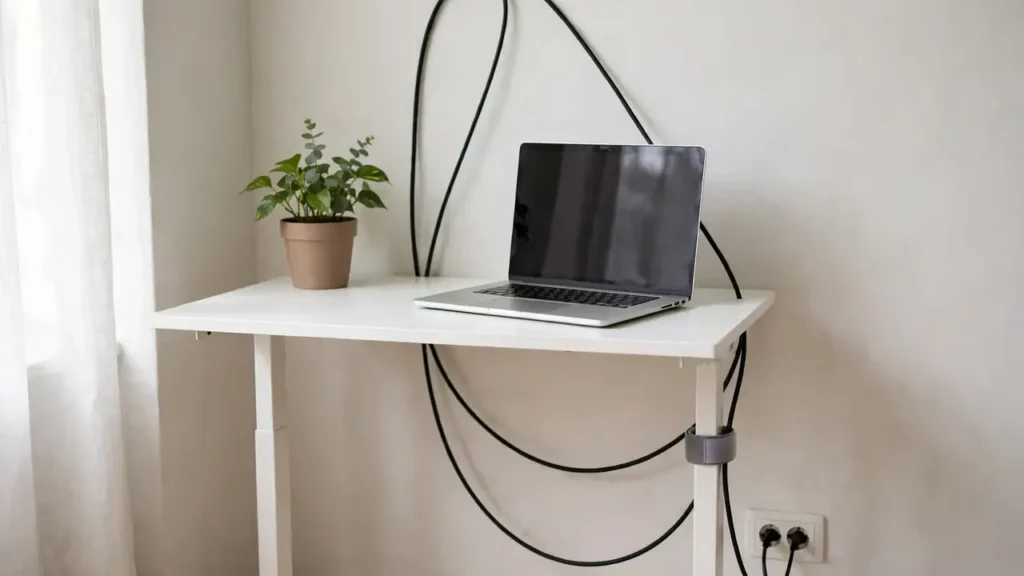
- A simple slack loop. With only one or two cables and a desk that rarely moves, leave a generous loop of slack behind the desk, secured loosely with a Velcro strap to the desk leg. Keep it short enough that it never touches the floor or trails where feet can catch it.
- A socket that is far away. Neither product solves a long horizontal run across the room. Sort the floor-level run first — for example with a flat cable cover, or by having the socket repositioned by a qualified electrician — then choose a spine or chain for the vertical section only.
Common Mistakes
- Buying the wrong length. Too short, and cables pull taut at full height, which can damage plugs and sockets over time. Too long, and the spine or chain sags, bunches or catches. Measure at both extremes of desk travel before ordering.
- Overfilling. Cramming in too many cables stops the spine or chain flexing properly and can pinch cables. Leave room for movement, and check the stated capacity before you buy.
- Fixing to a weak point. Screwing a bracket into a thin desktop edge, a hollow section or a moving part can fail or damage the desk. Follow the manufacturer’s fixing guidance and the desk maker’s instructions.
- Routing cables where they can be crushed. Never run cables through the lifting mechanism, between moving parts, or anywhere they can be trapped when the desk moves. Keep the cable path clear of all pinch points.
Troubleshooting
The spine leans or falls over
The base is probably too light for the cables inside, the spine is too long, or the top mount is not holding. Reduce the cable load, check the top bracket is secure, and make sure the base sits flat.
Cables pull taut at full height
There is not enough slack, or the spine or chain is too short. Lower the desk, add slack at the top end, and re-test. If the problem remains, the product may be the wrong length for your desk.
Frequently Asked Questions
Is it safe to run power cables inside a spine or chain?
Yes, provided the product is designed for it, the cables are not overfilled or pinched, and the leads are in good condition. Never run damaged cables inside an enclosed spine or chain, never overload a socket or power strip, and never cover a power adapter that gets warm — adapters need airflow. If you are unsure, ask a qualified electrician.
The Bottom Line
For a tidy home standing desk with a handful of cables and a socket nearby, a cable spine is the simpler, cheaper and neater answer — a single column that hides everything and takes minutes to fit. For a busier desk with thick cables, a long travel range or constant height changes, a cable chain is the tougher, more flexible choice. Measure your desk’s full travel range, count your cables honestly, and check the stated capacity and length range before you buy.